Submitted on December 10, 2011 in
Announcements
by Spicer Matthews
That sound you hear is a drum roll, because we’re pleased to introduce… the Skyclerk iPhone app! It’s so awesome, Apple is considering putting an “S” on the back of every Mac.
Yes, iPhone users, your favorite digital accessory now really can do everything, including manage your books. Whether you’re waiting for happy hour to start or the line at the post office to end, you can now capture and store receipts, manage contacts and check your ledger on the go.

For those tech geeks out there, the Skyclerk iPhone app was built using Appcelerator. Appcelerator lets you write native mobile apps with JavaScript, as opposed to Objective-C. The advantage of this is that we can share the same source code for both apps, so we web programmers can work in a language we know and love.
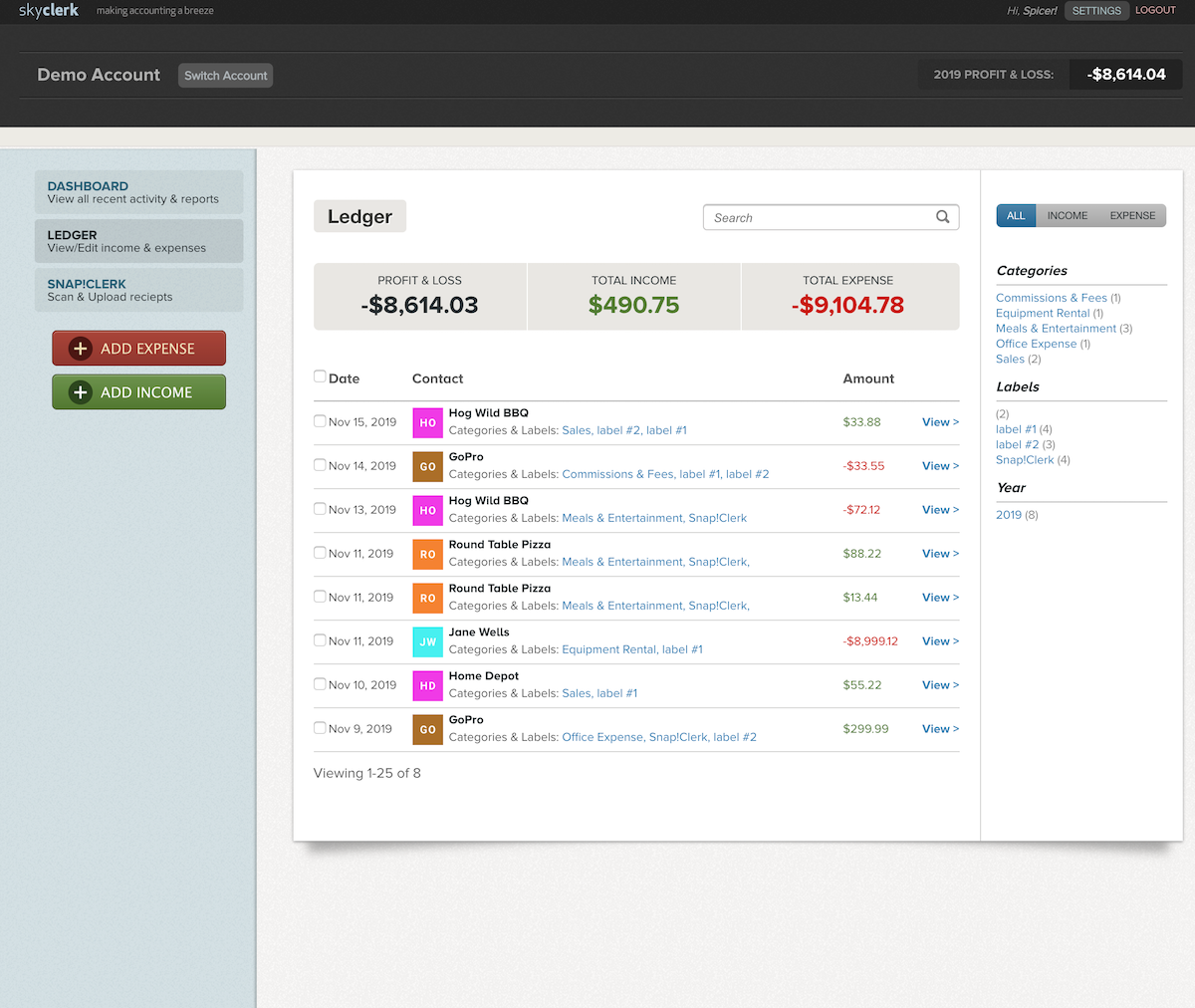
The iPhone app is easy to use. Basically, you can check your account in pretty much the same way you would on a web browser from your computer. You can see your ledger, add income and expenses, search for items, add notes and labels.
You should know that here at Skyclerk, we like to get our products out to our users as soon as possible, then refine and make improvements based on client feedback. That’s what we’ve done with the mobile apps. The plan is to release new features on a regular basis, including user requests, upgrades and any bug fixes. We wouldn’t bring the app to you if it wasn’t ready to go, but we want you to know that we intend to continue to improve it.
You can find Skyclerk in the App Store by searching for “Skyclerk.” So get those screen-tapping fingers in shape, because you’re going to be using this app a lot.
Submitted on September 10, 2011 in
Announcements
by Spicer Matthews
Skyclerk. App. Android.
We hope those three words excite you as much as they do us (which is a lot). It’s no mystery: The Skyclerk app for
Android is now available. Bookkeeping is now something you can do even sans computer. If you’ve got an Android, you’ve got Skyclerk at your fingertips.
A mini-tour is below, but first, a quick word: Skyclerk mobile apps have been a long time coming, and we want to apologize for the fact that they haven’t been here earlier. Our
name change forced us to redirect our energies for a bit, but now we’re back on track and rolling out Skyclerk features. Also, this app is just a start. We plan to continue to add features and make this mobile app more robust as time goes on.
Thanks for your patience.
Now, back to the Android app tour! We are pretty sure the pictures are worth a thousand words.
Here at Skyclerk, we like to get our products out to our users as soon as they are ready, then refine and make improvements based on client feedback. That’s what we’ve done with the mobile apps. The plan is to release new features on a regular basis, including user requests, upgrades and any bug fixes. We wouldn’t bring the app to you if it wasn’t ready to go, but we want you to know that we plan to continue to improve it.
Along those lines, note that we’ve made every effort to test the app on as many of the 400 or so Android phones that we could, but there are inevitably some models we didn’t get our hands on. If you use the app and have any technical issues, let us know.
“Hey,” some of you are saying. “Where’s my iPhone app?” We hear you, and we haven’t forgotten about you. We originally thought it would be available first, but that turned out not to be the case. But back to your question: The answer is that iPhone app is coming very, very soon. Stay tuned and we’ll let you know when it’s ready.
Now go install this amazing new app at the
Android Market Place.
Submitted on August 29, 2011 in
Announcements
by Spicer Matthews

Look! There on your phone! It’s Skyclerk! It’s an app! It’s the Skyclerk mobile app!
That’s right: Mobile apps are on the way! Cue the Superman theme, because we’re super excited about this announcement. The apps will be available very soon on a mobile device near you (in other words, your mobile device). The apps deliver a strong blow to the Kryptonite of good bookkeeping, otherwise known as “all the other stuff I have to do in a day.”
The apps, for both Android and iPhone, will allow you to have even more access to Skyclerk. For instance, say you have a business lunch with clients. Once the plates are cleared, you can snap a photo of the receipt and enter it into Skyclerk right then and there. Or, if you’re traveling for business, you can instantly upload receipts of your expenses, from hotels to morning coffee. Receipts – those tiny, flimsy, easy-to-lose and impossible-to-replace slips of paper – have met their match.
Are you a commuter? You can check your books while riding the bus or train. Whether you find yourself thinking about business while at the airport, dentist office, football game or DMV, the apps will deliver bookkeeping on the fly.
The apps were designed to be elegant and easy to use, just as users expect the Skyclerk overall experience to be. You have a need: The need to file your expenses and incomes in realtime. The apps will let you do that without a lot of fussing or tapping.
As you can tell, we’re happy to introduce these apps, which we’re confident will help you track your expenses even more efficiently. From where we’re sitting, we think it’s a good possibility Skyclerk will soon replace Angry Birds as your most-visited phone app.
So get ready, because the apps are coming. They’ll be here really soon – almost faster than a speeding bullet.
Submitted on May 25, 2011 in
New Features
by Spicer Matthews
This is going to get a bit geeky. As in, if “java” doesn’t just mean coffee to you, you’re gonna be excited about this news. If your eyes are lit up and your mouse finger is twitchy, we’ll end the suspense right now: API for Skyclerk is here.
API is the key that can unlock worlds of functionality between your Skyclerk account and your business. The possibilities are only limited by creativity and technical expertise – and if you know what an API is, those probably aren’t your weak spots (if you don’t know what API is, read the note at the end of this post).
For instance, say you run a non-profit organization. You want your finances to be transparent, so your donors know how money is being spent. With the Skyclerk API, your webmaster can build a program that will access the relevant data from Skyclerk and publish it on your organization’s website, in real time. If you’re holding a fundraising drive, the API could be used to chart progress towards the goal, and to share the progress on your website.
Or maybe you sell handmade clocks online. Each time you make a sale, you want the transaction automatically recorded in Skyclerk. With the API, you (or your webmaster) can make that happen, meaning that your sales are always current up to the minute in your ledger.
Because using an API often involves third parties (i.e. people who aren’t the account owners), the Skyclerk API is accessible via a token system. Tokens are found in the “My Settings” section of Skyclerk and can be reset at any time. Tokens allow users to access the system without exchanging email addresses or passwords with a third party.
Ready to get cracking? The technical details of the API can be found here: http://skyclerk.com/api-v1/getting-started
*Note: If you’re wondering, “what is an API?” then this paragraph is for you. API stands for Application Programming Interface. The definition of API, from Wikipedia, is “a particular set of rules and specifications that a software program can follow to access and make use of the services and resources provided by another particular software program that implements that API. It serves as an interface between different software programs and facilitates their interaction.” Basically, users can now “speak” to Skyclerk in the language of programming.
Submitted on May 13, 2011 in
Bookkeeping & Accounting
by Spicer Matthews

Everyone loves getting paid, but nobody loves to invoice. It's administrative work, and most people tend to just phone it in without really paying attention to what they're doing.
However, by following a few simple steps, you might not make invoicing fun, but you can make it easier on yourself and your client, ensuring more accurate invoices and records, more professional invoices, and yes-getting paid faster.
Decide on the payment methods in advance.
The best time for figuring out when you will invoice, exactly what work you'll be invoicing, and who to send the invoice to? When you're negotiating! Create a list of questions you need to do invoicing, and make sure you ask your client them during your neogotiation period.
Some Sample Questions to Get You Started:
- Will you be invoicing by project? By week? By month?
- What work EXACTLY is going to be billed and invoiced?
- What is the best method of payment? What method of payment do they usually use? (Most use PayPal, but it never hurts to ask.)
- Who should you send the invoice too?
Make Sure You Have the Correct Contact Info and Send to the Right Person
Yes, this seems pretty obvious, but contact information can become outdated or the person you've been dealing with isn't the person in charge of accounting. Check and double-check that you have the correct contact information for the correct person.
Sending it to the right person ensures that you get paid faster by making it much easier on the client.
Make Sure You're Correct Contact Information Is Listed
On the other side of the coin, make sure that YOUR contact information is up-to-date and easy to locate. If your client has any questions, you want to be sure that they can contact you as soon as possible
Break Down What Work You're Invoicing
When it comes to invoicing, be as specific as possible.
Break down exactly what was done line-by-line. Bill by the project? List ALL billable aspects of the project and how much each aspect cost. Bill by the hour? Break down the project by different aspects and include how long each aspect took. Not only does this make it easier for your client to see what they're paying you for, it makes it easier for you and your records. Plus, if everything is laid out, there's far less of a chance for there to be a dispute, once again allowing you to get paid faster.
Check for Mathematical Errors
In addition to checking the contact information, make sure you check and make sure that everything is added correctly. It doesn't take long and ensures that you haven't over- or under-charged. This is especially important when working with different currencies.
Include Your Terms
Make sure that you're invoice includes all of your specific terms, such as payment deadlines and late fees. Not only does this look more professional, it also helps to ensure that you get paid on time. And if you DON'T get paid on time, this gives both you and your client something to reference back to.
Make It Trackable
Make sure every invoice has a unique assigned number of some-sort. Many invoicing tools automatically do this. If you're not using a tool, you can easily create or assign a number. The number helps make the invoice trackable and reference-able for both you and your client.
Make It Easy for the Client to Pay You
Always indicate your preferred method of payment in the invoice, and if possible email the invoice and include a direct link to pay you. Both PayPal and Freshbooks offer this feature. The easier it is for a client to pay you, the faster you get paid.
Send the Invoice on Time
Filed away in the “common sense that isn't so common” section, is to invoice on time. If you invoice on time, you're much more likely to get paid on time.
Brand Your Invoices
Your invoices should look professional-and when done right, can also double as a marketing tool. Be sure to brand your invoice with your business logo, tagline, and contact information. Professional invoices send a message-that you're a professional.
Bonus Tip-Use Freshbooks!
First off, Freshbooks integrates with Skyclerk, which makes importing invoices and expenses automatic. For more information on the Freshbooks-Skyclerk integration-check out our post on it here.
But, our partnership isn't the only reason to use Freshbooks for invoicing. Freshbooks automates some of the best practices mentioned, such as creating a tracking number, including a link for the client to pay you, and branding.
In addition to that, Freshbooks offers a “client login,” which is my personal favorite feature. Your client gets a login username and password, which allows them to login to their account at any time and view their estimates and invoices, along with any documents you've uploaded to their account, such as a contract. It makes organization easier for the both of you-and come takes time you'll BOTH be grateful for it.
Submitted on May 4, 2011 in
Bookkeeping & Accounting
by Spicer Matthews

It happens to everybody-a client is late on a payment. Luckily, there are a few steps you can take to ensure that you get paid-and to help prevent it from happening again in the future.
Check Your Terms
Check to see what you're specific terms were, whether in a contract or on your invoice. Just because nine days feels like forever for you and you need to pay your cable bill, doesn't mean that the client is actually late yet.
Be Patient
Yes, it's hard to be patient, but if you're agreement is that the person pays within 30 days, and they're a regular client, give them an extra day or two.
Sending an Email
If the period the client was supposed to pay you in passed and you've given them a few days grace period, it's time to send an email.
Keep the Email Friendly, But Professional
Now isn't the time to get out the claws. In my experience, most of the time, the client merely forgot or thought they paid you and didn't. Keep the email professional, but with an overall friendly tone. You aren't accusing anyone-you're sending a reminder.
Include Details in the Email
Make sure you include all necessary details in the email, such as what work was billed, when you finished the work, the invoice number, and the amount. If possible, re-attach the invoice to the email-this way your client doesn't have to go hunting for it.
Include Your Contact Information in the Email
Make sure to include your contact information beyond your email address so the client can contact you if they have any questions or concerns.
If the Email Doesn't Work
If the email doesn't work and the client doesn't contact you about payment options, send a follow up email. If that doesn't work, it might be time to call in reinforcements, whether that's a collection agency, small claims court, or an organization that represents freelancers and small companies in your field who find themselves in scenarios like that.
Tips to Help Prevent Late Payments in the Future
While you can't turn back time, you can do a few things to decrease the likelyhood of late payments in the future-and be prepared if they do happen.
Include Your Terms in a Contract and In your Email
As mentioned in the last post, “10 Invoicing Tips to Help Ensure You Get Paid,” make sure you include your terms, such as when the payment is due and any late feeds. This way, if a payment is late, you have documentation backing you up.
Make It Easy to Have Your Client Pay You
The easier to make it for clients to pay you, the more likely you're clients will pay you on time. Be sure to include your contact information and preferred method of payment. If you can, use something like Freshbooks or PayPal for invoicing, so that you can create a direct link for your clients to pay you.
Make the Invoice Trackable
Creating a number for the invoice makes the invoice easier for both you and your clients to reference back to and to track. Documentation is key for preventing things from going awry-and ensuring you're prepared if they do.
Submitted on April 15, 2011 in
Company
by Spicer Matthews
Has Skyclerk made your business life easier? Have you found a nifty way to make Skyclerk work for you?
We want to hear from you!
In our new blog series, we'll be profiling Skyclerk users-talking about their business, how they use Skyclerk, and they're best tips for accounting, bookkeeping, and CRM.
If you're interested in being profiled, please email .(JavaScript must be enabled to view this email address).
We're looking forward to hearing your stories!
Submitted on April 8, 2011 in
Bookkeeping & Accounting
by Spicer Matthews
Just like spring cleaning isn’t just for your house, it isn’t just for your bookkeeping either-it’s also a good time to clean up your contact list. The holidays have passed, and there’s probably a few people you haven’t talked to in awhile. Or maybe some of your contacts changed their phone numbers or email address.
Having the right contact information is essential-and fairly useless if you’re not keeping in touch. No matter how viligilant you are-or you aren’t-about your business’s CRM, now’s a great time to get everything up to snuff.
Update Your Contact’s Contact Information
Make Sure You Have a Contact List
If you don’t already have an organized contact list, now’s the time to start. Ideally, you’re contact list should include:
- Current Clients
- Past Clients
- Potential Clients
- Vendors
- Business Contacts (both in your field and outside of it)
- Employees/Independent Contractors You Hire
- Related Business Contacts, such as your accountant if you have one
If you’re using Skyclerk, you can easily put all your business contacts in one place.
Here’s How
- Login to your Skyclerk account, and look on the list on the left.
- Click on Contacts.
- Click on Add New Contact.
And there you go! You can easily input any and all contact information that you have and you’re good to go.
Make a List of Information You Like to Keep
Some information is a must-have-for example, phone and email-whether you’re a phone or email person or not. Some things are helpful to have such as website URL, Twitter account, and LinkedIn profile.
To start things off, make a list of all the information you deem as “must have” for reaching your contact.
Next, go through your contact list and make sure that not only do you have that information for each contact, but it’s up to date. Emailing or calling someone won’t do you a bit of good if you’re using an outdated email address or phone number.
If you’re using Skyclerk, you can easily see what information you have for which contact. When you go to the Contacts section, click on an individual contact, and check to see what’s filled in. If something’s not filled in, you can reference you’re list, see if you need it, and move on from there.
Making Sure You Have All the Contact Information On Your Must-Have List
Once you have your must-have list of contact information, it’s time to fill in the holes. How you do this is up to you and depends on what contact information you have and what contact information you’re looking for.
Check Their Website
If you have your contact’s business website, head over and check out what contact information they have listed. Chances are you can get most social media profile information this way-and sometimes even their business phone number.
Send a Friendly Email
If the information you’re in need of isn’t on the clients website, you can easily send a friendly email explaining that you’re updating all contact information, list what you need, and ask them to send the information back to you. Most will without a problem.
Check Gist
Gist is a free CRM tool that connect with your email, Twitter, Facebook, and LinkedIn accounts, pull information from them, and scour the web. It’s a great way to find someone’s LinkedIn profile if you have their Twitter handle, or Twitter handle if you have their email.
Upload everything, do a quick check, and if you’re using Skyclerk, fill everything in for each contact
Connect with People You Haven’t Talked to In Awhile
Now that you have everyone’s contact information filled in and updated, see who you haven’t talked to in awhile.
Send them a friendly email and a message through a social media channel to check in. If you aren’t sure what to say, checking their Twitter or LinkedIn profile is an excellent way to see what they’ve been up to. Chances are you’ll notice something that you can congratulate them on or ask about.
If it’s a potential client, it’s a great time to remind them that you’re alive and ready to work. Remind them of the last time you talked and follow the same steps as above.
And now you’re all set! Not only is your contact information in one easy-to-find place, it’s updated, it’s current, it’s complete-and you’ve caught up with everyone to boot!
Submitted on April 6, 2011 in
Bookkeeping & Accounting
by Spicer Matthews
Spring cleaning shouldn’t just be limited to your house-it’s a great time to make sure your books are in order. First quarter is over and whether you’re hypervigilant about keeping your books in order, or not (it’s ok, we won’t judge you), it’s a good time to see how your business is doing and give your bookkeeping a tune-up.
While next year’s taxes might seem far off, no one likes to have to go through a year’s worth of unorganized paper work right after the holidays. By doing periodic tune-ups, you’re making your life so much easier for future you.
Checking in on your business finances early in the year helps to ensure that you’re on target for meeting your income goals and needs. If you notice that you’re not earning as much as you hoped-or planned-it’s early enough that you can get back on track sooner rather than later. Don’t just check income-check your expenses too. You might find areas you can save in-the earlier you find those the more you save. Not to mention, if there’s a business expense you’ve been waiting on-such as replacing you’re uncomfortable, unergonomic computer chair, this will give you a much better idea of when comfy seating will be yours.
Check For Outstanding Invoices
While some outstanding invoices are easy to notice-such as payment for a big project-sometimes it’s easy for smaller invoices to slip by. Go through and check to make sure you were paid for all the invoices sent. Make a list of any you weren’t paid for, and send a friendly, reminder email that money is due. While a friendly email won’t work for every client-it will for the vast majority.
Make Sure All Earned Income Is Entered
Now that you’re up to date with your invoices, double-check and make sure that all earned income has been entered. It might not seem like a big deal, but come tax-time, you’ll be thankful that you did.
The more accurately you record your income, the better idea you have of your finances-both for your business, and if you’re self-employed, you’re personal finances as well.
Bonus: If you use Freshbooks, you can connect your account with Skyclerk and have all your income recorded automatically. For more information and a complete tutorial on how to connect both accounts, check out, “Skyclerk Just Got Fresh.”
Get a Separate Business Checking Account or Credit Card
If you don’t already have a separate business checking account or credit card, stop slacking and get one. It might sound like a hassle to juggle two different accounts, but in reality, you’ll be trading a few minutes a month for a few hours a month.
By having a separate business checking account or credit card, and only using it for business expenses, you’ll have a quick and easy record of what you spent and when-without having to hunt through your monthly statement and try to figure it out. It will streamline the process of identifying and entering business expenses. And if you’re the sort who tends to get a bit lax with entering them, it will save you hours.
Make Sure All Business Expenses Are Entered
Sure, entering in expenses isn’t nearly as much fun as entering in income, but it’s just as important. Many business expenses are tax deductible, so once again, by taking care of this now, you’re helping future you.
If you have a business checking account or credit card already, (and if you don’t you’ll see why it’s important), you can easily go through, and enter in what you’ve spent.
With Skyclerk you can easily upload documents using our mass file uploader, which makes catching up a snap. If you’re a Shoeboxed user, you can easily connect your Shoeboxed account with Skyclerk, making things even easier. For more information and a complete tutorial on how to connect both accounts, check out, “Skyclerk, Now with Shoeboxed.”
Update Your Labels
With Skyclerk you have the ability to label and categorize all income and expenses.
Income
If you have a few different sources of business income, such as a product you sell, a few services you offer, and a paid blogging job, you can label each income transaction, giving you a better idea of what income is coming from where. You can use this information not just for your personal knowledge, but also to help determine things like which projects are most worthwhile.
Expenses
It’s almost a guarantee that you’ll have different types of expenses-supplies, subscriptions, maybe even you’ve hired someone for outside help. By applying labels you can easily tell EXACTLY where you’re money is going at a glance, helping you come tax time, where you can cut costs, and what’s worth your money.
View Your Financial Standing with Reports
Now that you have all your income and expenses entered and up-to-date, you can use Skyclerk’s reports to get a comprehensive view of your financial standing.
Skyclerk offers 5 different report views in addition to your Dashboard report:
- Expenses By Vendor
- Expenses By Label
- Income By Label
- Income By Customer
- Income Statement
In addition, all of these reports can be viewed by customizable dates, allowing you to review them by week, month, quarter, or year.
Plus, all the reports are printable and exportable. Print them out, take them to your accountant, and you just made not only your life easier, but your accountant’s life easier too.
Submitted on March 29, 2011 in
New Features
by Spicer Matthews
.docx_-_Google_Docs_.jpg)
See that picture up there? That, kids, is a “Rolodex.” It’s how people used to keep track of the people they needed to contact in business. Quaint, isn’t it?
If you haven’t already, you should check out your Skyclerk contacts. Remember that feature update we rolled out a little bit ago? There have been a lot of those lately, but this was the one with the upgraded contacts interface. Yeah, that update. There’s a chance you’re thinking to yourself, “Sounded cool, but I haven’t really played around with it yet.” You should take a minute and investigate. Here’s why:

I know what you’re thinking: “Hey, that is cool! How do I make my contacts look like that?”
Simple. You’ll find your contacts on the main tab of the left-hand navigation bar. You can edit the information for each contact with the basics – phone number, email, address – but it’s the social info that makes things pop. Enter the contact’s Twitter name or Facebook or LinkedIn profiles.
The data will pull in the person’s Twitter avatar and feed, which not only looks spiffy, it gives you insight that can potentially help your business relationship – and bottom line.
If the words “social media” make you cringe or furrow your brow in confusion, indulge in a little imagination. Example: You have a customer, Pablo. You’re friendly, but you’re not in frequent personal contact. You notice one day that his avatar changes from his face to that of a puppy. When you next talk to him, you bring it up, and find out he just got a French bulldog puppy. You have a French bulldog too! Stories are exchanged. A deeper bond is formed. And from now on, Pablo is more inclined to bring you his business.
The details may be imaginative, but the basic scenario is not. Business relationships, like personal relationships, can be made stronger through small ways.
There’s also the whole “networking” part of “social networking.” When you network with someone virtually, you get more access to the people they know. You might find a new business partner, customer or vendor through your existing contacts. The possibilities are truly limitless.
All of this, just by editing some info in your Skyclerk account? Sure. If nothing else, you’ll get a cool-looking contacts page out of the deal – beats a Rolodex any day.
Submitted on March 15, 2011 in
Cloud Computing
by Spicer Matthews
Recently, I’ve had the “opportunity” to attend several web conferences. These events are either a godsend provided by modern technology or just a different form of meeting torture. On the one hand, web conferencing allows people to talk “in person” without being in the same physical room, building, state or even continent. On the other hand, technology is a fickle power. Between unintentionally muting yourself (or worse, unwittingly failing to do so), feedback and dropped connections, web conferences can seem more trouble than a cross-country flight.
There’s no denying web conferences and webinars open doors to small business people they could only dream of before. If the choice is shelling out hundreds or thousands for flights, hotels and car rentals to have a sit-down with a client, or having the same conversation from your own office, the winner is clear. So how can you have a web conference remembered more for its progress than its problems? Here are some tips:
- Make an agenda, and stick to it. You should be doing this no matter what the format of your meeting. An agenda keeps people on topic and on time. Everyone should have a copy of the agenda in advance, so they have time to prepare questions and comments.
- Limit attendance. Yes, you’re saving time by not traveling, but that doesn’t mean you should add an extra three hours to the meeting. If you have too many attendees, you’ll inevitably go over schedule and probably won’t cover all the information you’d like. Also, too many unfamiliar voices can be confusing to listeners. End result? Wasted time.
- Coordinate designated speakers. Make sure speakers aren’t covering the same thing, and make sure they’re all familiar with the technology. Most importantly, let everyone know who the speakers are and why they’re qualified to present.
- Prepare computers. If speakers are showing slides or sharing their desktop, remind them to turn off email alerts and log off of instant messages. A speech bubble saying, “Hey, you wanna get Taco Bell?” doesn’t exactly convey professionalism. Even better, create a new user account for presentations with a clean, eye-pleasing desktop.
- Practice. It’s especially important to do a dry run if any of the equipment you’re using is new to you. Technical difficulties are the kiss of death for even the best presenter.
- Check the clock. If you’re having a web conference, chances are you and the other attendees aren’t geographically close to each other – which means you need to make sure the time scheduled is appropriate for all. Don’t assume everyone attending the meeting is in the same time zone.
- Monitor the chat window. If you have a chat window (as is often the case in a webinar), make sure you have someone monitoring it. As an attendee, it’s frustrating to submit a question via chat that never gets answered. If questions can’t be answered immediately, have someone keep a list of the queries to be answered at the end of the meeting or later, via email.
- Prepare follow-up info. Supply email addresses and phone numbers of attendees so people can contact each other later. If you unexpectedly reference a document or website, promise to send out copies or links as soon as possible after the meeting. Then, actually do it!
Submitted on February 24, 2011 in
Announcements
by Spicer Matthews
The times, they are a changin' -- particularly if you're using a web browser from the days of old. Due to declining use and increasing problems, Skyclerk will no longer support Internet Explorer 7.
So from now on, if you try to get to Skyclerk with an unsupported browser, you'll see this:
Skyclerk will continue to support later versions of Internet Explorer along with all other major web browsers, and users with those browsers won’t notice any changes. However, if you’re using Internet Explorer 7 and want to keep using Skyclerk without hassle, you’ll need a new browser. We recommend Chrome from Google; Firefox and Safari are other good choices. They’re easy to download (just click the links and follow the instructions) and best of all, they're all free!
Why are we doing this? A few reasons. For one thing, IE7 causes us some problems. In fact, issues related to IE7 make up 80 percent of our debugging efforts. That's especially significant when you consider that only about 3 percent of Skyclerk users are operating IE7.
Also, we care. We want you to have the best online experience possible. If you're using IE7, you may have noticed it’s quite slow and generally doesn't offer an ideal web browsing experience (if you haven’t noticed anything less than great about IE7, you might be pleasantly surprised with an upgrade). Most websites have already stopped supporting Internet Explorer 6, and Internet Explorer 7, which itself is more than 4 years old, is on its way out. Four years may not seem like a long time, but it’s ancient in the digital world.
This change will help us continue to offer you the best service we possibly can. Thanks for your support!
Submitted on February 17, 2011 in
New Features
by Spicer Matthews
Hey there, Skyclerk fans! Wanna know what we’ve been up to? Well, we’re working on upgrading the contacts interface. OK, that might not sound like the most exciting thing in the world. But keep reading, because the changes we’ve made so far – and the changes that are yet to come – will be a big help you and your business.
We’ll start with the simple stuff: All people and companies you interact with via Skyclerk are now called “contacts.” Previously, people and companies have been listed as “vendors” and “customers.” There were two main reasons we wanted to change this. We didn’t think this was the best way of organizing; if they’re both customer and a vendor, they have to be in the system in two different places. Also, we thought, why have two different sections of Skyclerk for people and companies? Why not consolidate? So we did.
As part of that change, you can now assign a status to your contacts: customer, vendor, or both. This will help you keep your contacts categorized in exactly the way you want; it also means contacts only see the ledger information you want them to.
Contacts are super easy to find now; just look for the main tab on the left-hand navigation. You can’t miss it!
After making all those tweaks, we were struck with inspiration: Why not build a mini-CRM (customer relationship management strategy) right into Skyclerk? Heck yeah! What’s this mean? It means you can get into a customer or vendor’s profile and directly manage that contact. You’ll be able to gain even greater insight into your business relationships, and you’ll have that information right at your fingertips, allowing you to use that information to help your transactions – and therefore your business – run smoothly.
Here’s how it works:
- Log into your Skyclerk account. Take a look at the navigation bar on the left-hand side of the screen, click “contacts.”
- Your contacts will display in list form, with name, contact info, and an avatar if they have one.
- On the right-hand side of the screen, there are tabs to display only customers, only vendors, or both. You can also add a contact. Beneath those tabs is an activity stream showing recent activity of your contacts.
If you want to take a closer look at a particular contact, click their name and go to that contact’s profile. All kinds of info about your contacts is right there. In addition to address and phone number, you also have the contact’s recent account activity, plus Facebook, LinkedIn, and Twitter right on screen. The new activity stream will even display the Twitter feed of your contact. You can keep notes about a contact with the notes “thread.” That way, you can keep track of your interactions with your contacts.
We think these upgrades will greatly enhance the functionality or Skyclerk. So take a look around at the new, more advanced contacts interface. There’s more to come – this is just the beginning!
Submitted on February 10, 2011 in
New Features
by Spicer Matthews
We like making Skyclerk better. Turns out, you do too. We have so much in common!
There’s no magic lamp here, but get ready to have a bunch of your wishes granted. Thanks to your input, we’ve come up with a slew of new features and improvements to make Skyclerk better than ever.
First of all, some of you like our current setup of expenses on one page, income on another. But others wanted to see both expenses and income on one page. You now have the option of seeing expenses and income together on a combined ledger. But if you’d rather see them separately, you can do that, too.
Many of you said you wanted more options for seeing your account summary. Consider it done. Actually, you don’t have to consider – it is done. There’s now a summary block right at the top of your account page.
Another thing you really, really wanted was the ability to edit categories and labels. And hey – that’s a really, really reasonable request. So we took care of it. Just click on the icon of the title you want to change, and a handy-dandy edit box will pop up. You can edit the field to whatever you want.

Vendors and Customers? No thanks, you said. You’d rather have them called "contacts." Sounds good to us! You can however assign contacts the status of customer or vendor – or both.
You wanted more advanced filtering, and you now have it. You can filter by as many labels as you want, and by one category. We’ve also made the search results much faster and more complete.
We hope you like the changes. We think they’re going to make the Skyclerk experience even better. And believe us when we say, “We couldn’t have done it without you.”
Submitted on February 6, 2011 in
Announcements, Company
by Spicer Matthews

We’d tell you to say “hello” to
SkyClerk, but no introduction is necessary. You’ve already met SkyClerk, because we are SkyClerk. As of right now, SkyLedger is known as SkyClerk. Our new online home is
skyclerk.com.
The only change you’ll notice with your account is that the URL is different, as
skyclerk.com is replacing skyledger.com. So account URLs will now be in this format:
http://yourcompany.skyclerk.com. Please update your bookmarks ASAP, and make sure to let your staff know too. Everything else about your actual account – logins, features, format – is exactly the same.
To reach us, send emails to @skyclerk.com addresses. And on Twitter, we’ll be known as
@skyclerk. SkyClerk. Say it out loud; it has a nice ring to it. Type it out. Your muscle memory will adjust.
Why the name change? To be honest, it wasn’t our idea to change it, but we have only ourselves to blame. We didn’t do a proper trademark search when we started SkyLedger, and recently, we were informed that SkyLedger is trademarked by another company. We received a letter from an attorney for that company, asking that we immediately cease and desist using the name SkyLedger. As you can tell, we acquiesced.
However, we’re also making good on the old saying, “When life gives you lemons…” While we loved our old name and had generated a lot of hard-earned recognition and goodwill with it, this is an opportunity to rebrand the company.
Why rebrand as SkyClerk? Obviously, we wanted something similar to our former name. We also wanted something that illustrated our services and our mission. Merriam-Webster defines “clerk” as “one employed to keep records or accounts or to perform general office work.” Except for the fact that SkyClerk is a system, not a single human being, that’s how we see our company. SkyClerk is, and will continue to be, a tool to manage your office in the most organized and efficient manner. But as we build our system, we’re growing out of being “just” an accounting system. Moving into the future, we intend to focus our energies on becoming a complete solution for small businesses – your virtual office clerk.
Submitted on January 18, 2011 in
Announcements
by Spicer Matthews
Mark Zuckerberg (CEO of Facebook) is famous for his
lockdowns: when Facebook developers team up and build amazing products in a very short period of time. Developers are "chained" to their desks more or less. While we here at SkyLedger think we are a little more humane than Mark Zuckerberg, the last 2 months has felt like a lockdown to us. Some of us even worked on
Christmas day!!
Show Us The Previews!!
Why were we chained to our desks? We like to call it SkyLedger 2.0. For months we have been collecting feedback from our customers about how we can make SkyLedger better. We have taken all that feedback and revamped SkyLedger. We think you are going to be very impressed with what we have come up with. We will begin the release of SkyLedger 2.0 in the next 2 weeks. This will be a rolling release that will continue for about a month. We will be rolling in new features every few days starting in two weeks.
Now that major development is done and we have sent our development team home for a much needed shower, internal "dogfooding" (testing the product by using it) has started. Below are some sneak-peek screen shots.
Ledger 2.0
This is our new combined ledger. One of the biggest requested features was a way to have a combined ledger. See all income and expenses in one place with a summary of the combined ledger. We have combined the ledger and built very powerful filters on the right to allow our customers to drill down to any particular subset of the ledger. Also, you might notice at the bottom we have created "one click" exporting of your ledger entries (including the attached files).

A Mini Yet Robust CRM Right In SkyLedger
So many CRM (customer relationship management) systems on the market focus on getting the customer (the sales process) and do not focus on maintaining the customer. Many SkyLedger users have told us they use SkyLedger as a way to manage their clients. Take a garbage company, for example, or any utility company for that matter: 90% of all customer service needs are billing and payment related. If 90% of customer service is related to billing and payment needs, your CRM should be part of your accounting system.
We are merging your CRM and your accounting system into one. We have created a new tab within SkyLedger called contacts. You can now search for your customer, drill down into one particular customers' (or vendors) profile, and manage that contact. You can see from the screenshot below we have built a rich CRM experiences.

You want more details? Not so fast. We are just giving you a preview today! More to come soon. Keep an eye on our
blog and our
twitter feed for updates.
Submitted on December 20, 2010 in
Announcements
by Spicer Matthews
When SkyLedger first launched, we didn’t know what the future would hold. What we did know was that we had a stellar product, unlike anything else out there, that we wanted to bring to the world. And we did.
But like you, we kind of like food, and sleeping under a roof. As much as we might like to, we can’t keep making SkyLedger better without financial support. So in early 2011, we’ll be adding more pricing plans.
We know this probably isn’t the best news you’ve gotten recently. But we want to assure you we’re committed to being fair to customers with rate changes. Here’s what we want to promise you, now and into the future:
- We will keep our prices in line with the service we offer, only raising fees as SkyLedger delivers more value. Unlike some companies, we believe customers should pay for what the product is, not where it might be someday. The price you pay will always be based on what SkyLedger is doing now.
- Free plans will not disappear. We’ll always to have a free version of SkyLedger. If you’re just starting out, you might not be able to afford even a small fee. That’s OK. We created SkyLedger as a service that grows with you – when your business takes off and you start making money, when you need more features, you move to a paid plan. As your business needs change, there will be a level of service that’s right for you.
- We won’t spring any rate changes on you. If you’re a current customer – even if you’re on the free plan – we promise to let you know in advance of any pricing changes. We’ll email you 30 days in advance of any rate changes, and let you know what the new prices will be.
- Customers can keep their current price even if rates change. Any customer paying for SkyLedger, even a customer paying for the lowest-priced plan, will be locked into that price forever. We won’t be like bad landlords, getting you to commit to something and then mercilessly raising the price.
- When we send out price change notifications, customers using the free plan will have the option to change to a paid plan, and lock in that pricing forever.
- We’re committed to having the best accounting and bookkeeping product on the web.
SkyLedger will keep getting better, but will always be dead simple.
Here’s a rough (things could change) breakdown of the new plans
Free: 2 Users, 15 Transactions / Month, 15 Contacts, 100 MB Storage
$9 / Month: 10 Users, 35 Transactions / Month, 40 Contacts, Unlimited Storage
$24 / Month: 50 Users, 150 Transactions / Month, 100 Contacts, Unlimited Storage
$49 / Month: Unlimited Users, 1000 Transactions / Month, 10,000 Contacts, Unlimited Storage
$99 / Month: Unlimited Users, Unlimited Transactions, Unlimited Contacts, Unlimited Storage
Submitted on December 1, 2010 in
Bookkeeping & Accounting, Company
by Spicer Matthews
…Are you listening? Thanksgiving is over and December is here, which means it’s time to do it: You know, look for gifts. If there’s a business owner or freelancer on your list, never fret. The jolly fat man dropped by and left lots of ideas to tickle the fancy of any entrepreneur – or anyone with an entrepreneurial spirit.
1. Take my card

Every business owner should have business cards. Give them a stylish way to display the cards with a handmade Eames-inspired business card holder. Cards not up to par?
Give sleek and small MOO cards. You can purchase this business card holder on
here.
Every business owner should have business cards. Give them a stylish way to display thecards with a handmade Eames-inspired business card holder. Cards not up to par? Givesleek and small MOO cards.
2. Write on

The Livescribe pens are making a lot of gift guides this year. And for good reason: It’s just plain cool.
You can write with it and record audio at the same time, which could come in very handy for long meetings, workshops, or interviews.
If the person on your list is a little more old school, you can’t go wrong with a classy Montblanc pen.
You can get these amazing pens
here.
3. Good deeds

You can’t really give anyone the gift of good publicity (at least not on a large scale), butyou can give them goodwill.
Make a charitable contribution in the company’s name, andit’s guaranteed to show up on the “nice” list next year.
4. Trick out the office

Remind them that work has to end sometime with a unique clock. Let them get rid ofevidence – er, trash – with a pair of scissor shredders.
Is your giftee always plugged in? Keep them that way with a solar-powered laptop bag.
You can pick up this fine clock
here.
5. Mmm, coffee

Coffee is as ubiquitous as pens, so replenish the java supply with blends from a small roaster.
6. Sit right down

Ergonomic chairs tend to be expensive, but if you can swing it, it will bring undyingaffection from anyone who slaves in front of a computer.
This BOSS leather chair wouldbe a godsend to someone with ache in the back, neck or shoulders.
You can purchase this chair
here.
7. Rub it in

Prefer immediate gratification over furniture?
I think it’s safe to say there is no personon Earth who wouldn’t be happy to get a massage.
Get a gift certificate from a spa nearyour recipient and accept their profuse thanks.
8. Chow down

Food is hard to miss with. Contribute to the office holiday party, or just to the bosses’stomachs with a basket of gastronomical delights.
Maybe a box of gourmet brownies, aclassic New York cheesecake, maybe even Grandma’s fruitcake (hey, it’s the holidays).
Health conscious? Send some organic pears or a selection of international teas.
You can buy these amazing treats and more at
http://www.harryanddavid.com.
9. Give them themselves

You can personalize just about any noun you can think of.
How about shirts, bags, mugsor hats with their company name and logo?
Zazzle and
Cafepress have lots of options ofthings to personalize.
10. Accounting made simple

And finally, the perfect gift for anyone who owns a business… SkyLedger!
Give them a year (or more) of the upgraded version of the only “dead simple” bookkeeping andaccounting system!
With an upgraded account, they get more: More storage space, unlimited transactions and unlimited users. Give the gift of SkyLedger by signing up
here.
Submitted on November 19, 2010 in
New Features
by Spicer Matthews

So you discovered SkyLedger and fell in love. We know how it is. You told your friends, your coworkers, your boss and your neighbors about how awesome it is. You even use more than one account, which is great, except when it comes to switching between them.
Sound like you? If so, keep reading, because do we have a feature for you! Introducing… multiple accounts!
Here’s how it works:
Say Tessa has a SkyLedger account for her freelance web design business. It’s something she does in her spare time to make some extra cash, and as it’s a one-woman show, she’s the only person who has access to that account. But to pay the big bills, Tessa also has a day job with a company called Centurion. It’s a small business, and the small staff – including Tessa – all have access to Centurion’s SkyLedger account.
One day, Tessa gets a payment for her freelance account. She goes to SkyLedger to enter the amount. When she logs in to her freelance SkyLedger account, the system recognizes that her email address is associated with another account – Centurion. Tessa sees a button at the top of her homepage that says “switch account.”
Once she’s finished entering her freelance payment, she remembers she used the Centurion credit card to pay for some office supplies and needs to enter the expense. She clicks the “switch accounts” button and is shown a drop-down menu of her other account. She selects “Centurion” and is instantly taken to the Centurion login page. When she’s done there, she decides to go back to her freelance page, because she’s not sure how much she’s made in the past two months. She clicks “switch account” again and goes back to her freelance account.
There’s no shared data between accounts, so whatever Tessa does in one account has no bearing on the other. Each account is entirely separate and secure.
It may be just a button, but it can make your work just a little bit easier. That’s what SkyLedger is all about, and that’s why you fell in love in the first place.
Submitted on November 12, 2010 in
Announcements, New Features
by Spicer Matthews

We are very pleased to announce SkyLedger is now integrated with
CheddarGetter.com. CheddarGetter is a plug-in subscription management and recurring billing system. Whether you run a high tech SaaS business or a small, service-based business, CheddarGetter is the perfect way to track and bill your customers. Simply plug in your merchant account credentials, and CheddarGetter will begin charging your customers immediately.
Once you have sent up your CheddarGetter account with SkyLedger, every night the payments you receive through CheddarGetter will be automatically imported into SkyLedger. This is just one more step toward removing the friction in your accounting and bookkeeping.
For more information on how to setup your CheddarGetter account please visit our
support page.
Submitted on October 29, 2010 in
by Spicer Matthews
The devil’s in the details.
It’s a strange but true quirk of business: A company founded on the best idea in the world can be undone by the details. It doesn’t matter how awesome the product you’re selling is, the little things, the day-to-day tasks, can’t be neglected. This is especially true of accounting. But we know sometimes you really need an extra pair of eyes, and hands, to help you out.
Look What We Found
Recently, we came across a pretty cool service that offers those extra body parts:
LedgersOnline. This “virtual accounting department” offers a variety of services to keep your books up-to-date and accurate.
Founded by an accountant, LedgersOnline aims to take care of managing your bookkeeping and accounting, so you can take care of your business. The goal is to keep track of some financial details, and let you get back to worrying about the bigger picture.

Their online accounting system requires minimal effort from the user. First, scan and upload your accounting documents. A staff member will be assigned to your account, and this living, breathing human (an accounting professional) will open your files and enter and organize the items. All that’s left for you to do is download the finished reports and financial statements – whenever and wherever it’s convenient for you.
How does LedgersOnline help you?
Need monthly, quarterly and year-end financial reports? LedgersOnline will do that, too. Regardless of your location ledgersOnline has got you covered.
LedgersOnline has your back. It’s secure, and your data will be protected. If there is a significant change in the performance of your company, like a sudden turn into the red, you’ll get an email alert.
Plus, LedgersOnline has
Apps on Demand, which lets you make your desktop accounting software into a cloud-based application hosted on a LedgersOnline server. Do that, and you can then access your account from any computer, at any time. It also means other team members can have access to the accounting, so everyone can stay up-to-date on how the books are doing.
Via Apps on Demand, you can use accounting Help Desk services. Contact Help Desk via phone, email or internet chat, and you’ll soon get an answer to your question. From a real person!
Many companies, including non-profits, start-ups, construction companies, tech companies, and more, have already reaped the benefits of LedgersOnline. You can read some of their success stories
here.
Maybe your business will be the next success story.
Find them on Twitter:
@LedgersOnline
Submitted on October 25, 2010 in
Announcements, New Features
by Spicer Matthews

You know that pile of papers on your desk? The one of items you want to digitally archive? The one you promise yourself you’d get to
this week, only to find the stack remains untouched? Maybe scanning is just a bit too much work for you; maybe you don’t even own a scanner. But now you have no excuse not to have your business paraphernalia online, because Skyclerk now works with
Shoeboxed.
Focus on Business, Not Paperwork!
With Shoeboxed, you send in your receipts, business cards, invoices, etc., and it scans, enters the data and organizes items for you. You can email or snail mail items, or send in photos from your phone. Shoeboxed takes care of the rest.
When you link your Skyclerk and Shoeboxed accounts, everything you send to Shoeboxed will automatically be updated to Skyclerk (unless you chose to manage it manually), so you can focus on business, not paperwork.
That pile? Consider it conquered.
To find out how to integrate your Skyclerk account with Shoeboxed,
click here.
Submitted on October 21, 2010 in
Bookkeeping & Accounting, Cloud Computing
by Spicer Matthews
Ever shared a house with some friends? Many people do this in their young adult years, and for good reason: Money. Or, more specifically, lack of money. In the days when you’re just beginning a career – or still trying to figure out what career you want to pursue – paychecks tend to be a little light. Teaming up with your similarly cash-starved friends to split rent, utilities, maybe even food, is an economical choice.
But as anyone who's ever been in that situation knows, it's not all like an episode of Friends. Especially when the bills are due. The responsible resident who steps up to collect rent from the others might suddenly be confronted with questions about where exactly the money is going.
Here's where real life can actually be better than TV: When such questions arise, SkyLedger can put them to rest.
Whether you’re sharing the cost of groceries, electricity, gas, furniture purchases or just rent, SkyLedger can help keep the bills in order.
Example: Rent, power and water bills come in to an address over the course of a few days. The most responsible renter in the house (let's call him "Sir") scans all the bills as they arrive and uploads them to SkyLedger. Sir also has been saving all of the grocery receipts for the month, and he uploads those as well, in one big batch. He makes notes on certain items, like the fact that their trash bill is higher than normal because they overfilled their garbage bin after a particularly large party. Sir even attaches a photo of overflowing trash can.
When Sir goes to collect money from his housemates, Dude and Bro, they're surprised at how much they owe. They want to know why they are being asked for so much money.
Sir directs them to SkyLedger, which they can log on to from their own computers with their own personal account. There, they see all the receipts, including ones from past months. They look at graphs and see that their total expenditures for the month are higher than in months past, and that the garbage bill is what made the difference. They even see the photo of the extra trash bin on the curb (which they had forgotten about).
When Dude and Bro are satisfied that Sir is charging them accurately, they pay up. A few days later, they check SkyLedger and see that their payments have been applied.
The landlord is happy. Household harmony is restored. And Sir, Dude and Bro can happily plan their next big party – maybe one with a ‘90s sitcom theme.
Submitted on October 6, 2010 in
Bookkeeping & Accounting, Cloud Computing
by Spicer Matthews

A large percentage of our customers here at
SkyLedger are creatives, developers, and freelancers of all kinds. Many of these customers use
FreshBooks. If you aren’t familiar with FreshBooks yet, here’s the deal: It’s a service that lets you generate and send invoices, track your time on projects and collect payments—vital elements for any business. You also can automate billing and late payment reminders, even send clients snail-mail invoices. It’s secure, too, as all data is backed up in real time.
Basically, FreshBooks is just about everything a team, freelancer or service provider needs for professional, painless billing.
In an effort to make SkyLedger even more useful we are very pleased to announce we have integrated FreshBooks into SkyLedger. Now, with no effort at all SkyLedger can import all your payments and expenses from FreshBooks directly.
The meshing of these two systems is just another way to make your bookkeeping more efficient. It’s seamless, and dead simple.
How do I link my FreshBooks account with SkyLedger?
Glad you asked! It really could not get any easier. Follow the 5 easy steps below and sit back, letting SkyLedger do the rest.
- Click on the "Company Settings" button in the upper right hand corner of the site.
- Navigate to the "Add-Ons" section.
- Scroll to the FreshBooks logo and click on the "Add FreshBooks Sync" link.
- Enter your special FreshBooks url.
- You will be directed to FreshBooks to enter your login information. Once you authenticate, you are done!!
[
The great news is FreshBooks uses oAuth to manage your authentication. That means we do not store your username and password, and in fact we never even see it. Your FreshBooks username and password remain between you and FreshBooks. For more information checkout our
support site.
Now that I have setup my FreshBooks account what's next?
Sit back and relax, and let us do the heavy lifting. Every night SkyLedger will connect to FreshBooks and import all your payments and expenses, safely filing them away. If at anytime you want to sync your FreshBooks data manually you can press the "Sync Now" button from the Add-Ons page.
Oh, by the way (BTW for you hipsters), if you delete a ledger item that was imported from FreshBooks, the SkyLedger system will remembr you deleted it and will not re-import it.
We are hoping our FreshBooks customers find this feature extremely helpful. We also hope our Non-FreshBooks customers take a few moments and check out
http://www.freshbooks.com to see the amazing services they provide.
Just so you know, you can remove the integration at any time, but we have a feeling you won’t want to.
Submitted on September 30, 2010 in
by Spicer Matthews
Meet our newest feature: Mass File Uploader
SkyLedger is pleased to announce the Mass File Uploader (MFU), an indispensible tool for a paperless office.
MFU helps you streamline your bookkeeping. Instead of trying to keep track of numerous checks and invoices and hoping they get filed correctly, MFU lets you get, and stay, organized in a snap.
When invoices and checks arrive, simply scan them, and then upload them to SkyLedger. Once the files are uploaded – which only takes a few seconds – they can be quickly reviewed and organized at any time.
The filing system SkyLedger already offers makes organizing files a breeze. Just mark whether the item is income or an expense, select the vendor and enter the amount. You also can categorize the item by type: Wages, marketing, insurance, supplies, etc. The end result is all of your invoices and checks in one place, accurately organized and easy to find.
Why use the Mass File Uploader?
Like SkyLedger itself, the goal of MFU is to help you work more efficiently. For instance, you can upload an unlimited number of PDF or image files at one time. And if you try to upload a file that was already uploaded and deleted, the system alerts you – a built-in safeguard against having duplicate entries in your ledger.
It’s simple, it’s useful and it’s part of what makes SkyLedger the only accounting system on the market that truly supports a paperless office.
There’s more to come, including apps for iPhones and Androids, compatibility with more file types, support for multiple currencies and the ability to import from other services.
Take a moment to meet MFU. We think you’ll be very pleased you did.
Submitted on September 29, 2010 in
by Spicer Matthews
It’s no surprise that the best ideas for an application typically come from the people using it. In recognition of this, SkyLedger has rolled out UserVoice, a way of keeping the lines of communication between user and programmer even more open – and to encourage SkyLedger users to share their thoughts.
With UserVoice, you can suggest features you’d like to see and even weigh in on what others say. Check out which ideas are new, which are popular and cast your vote for the ones you like best.

The goal of UserVoice is to improve SkyLedger, so your feedback will result in real changes. You’ll be able to converse with SkyLedger staff, see which features have been accepted and know when those features are implemented.
You can find UserVoice at the bottom of your SkyLedger account page, under “Help Desk.”
We hope to hear from you soon!
Submitted on September 27, 2010 in
Announcements, Bookkeeping & Accounting, New Features
by Spicer Matthews
SkyLedger has added a feature to support businesses far and wide: The ability to keep track of costs and expenses in major international currencies.
Currently, SkyLedger accounts are set to U.S. dollars by default. Many users requested a way to enter other currencies, and those wishes are now reality.
Changing the default currency setting is simple. Simply log in to your account, go to “Company Settings,” then “Manage A
ccount,” and select the currency you would like to use. To see a video about how to change the settings, click here.
Once you’ve finished changing your currency settings, the changes will be applied to your entire account, with one exception: The dashboard’s activity log.
Major currencies are supported, but if you need a currency not on
the list, please let us know.
Submitted on September 9, 2010 in
Cloud Computing
by Spicer Matthews

You hear a lot about cloud computing these days. Cloud-based this, cloud-based that. But what does it really mean?
Basically, a “cloud” service is one that operates via the internet. Cloud-based accounting, like
SkyLedger, is an internet-based accounting system. Webmail – like
Gmail and
Hotmail – are cloud-based. So is Flickr. And YouTube.
But to really understand what cloud computing is, it helps to understand why people want it in the first place.
As
Microsoft puts it, “Ideally, the cloud provides a reliable, scalable, low-cost alternative to building and maintaining a full-fledged IT operation inside your company.”
When your company uses cloud applications, all necessary info (i.e. photos or records) is stored with the application online, not on your server. So you have to invest less in the tangible aspects of computing, like servers, hard drives and IT people.
Wikipedia and other sources compare cloud computing to the electricity grid: You don’t store the electricity in a box in your house. When you need it, you tap into the grid and get the amount of service you want.
For many people, the motivation to use “the cloud” comes down to freedom. No matter what you want to do – access email, upload photos, manage accounts – all you need is a computer (OK, and internet access).
Sunshine has its benefits. But clouds can really help a company out.
Submitted on August 31, 2010 in
Announcements, New Features
by Spicer Matthews
Receipts, invoices, and purchase orders, oh my! If you run a business, you probably have a shoebox or two (or more) of those items.
It can be tough to find what you’re looking for in those shoeboxes. SkyLedger can put any piece of paper you need at your fingertips in a snap.
SkyLedger lets you upload files and attach them to each ledger item. So when you get a bill from a vendor, you can attach it. And then when you pay that bill, you can attach a copy of the check. You can even
attach a photo of the product you purchased, so you know that $500 you paid to Signs ‘n Things was for a sign, not a thing.
Because you’ll have all your files in SkyLedger, you’ll be able to pull up what you need anywhere, whether you’re at the airport, the job site, or the park.
You can upload as many files as you want, perfect for long-term projects. And remember, batch uploading is coming soon, so you’ll be able to quickly upload the entire contents of your shoebox at one time.
You may not be able to ditch the shoeboxes completely (the IRS still likes hard copies), but you will have it with you – virtually – at all times. Just think of SkyLedger as your Wizard of Office.
Submitted on August 28, 2010 in
Bookkeeping & Accounting
by Spicer Matthews

Just as it takes a village to raise a child, we know it often takes more than one partner to build a small business. But for some reason, most accounting systems haven’t learned to how to share, and that’s a problem. SkyLedger is different, because it was created with sharing in mind.
With SkyLedger, every business partner can get total access to bookkeeping and accounting. You read that right: Everyone. Total access.
What’s that mean to you? Well, it means no deciding whose computer is “the” bookkeeping computer. It means anyone can record expenses or payments instantly. It means that when Fred decides at 2:30 a.m. on Saturday that he needs to know how much was spent on office supplies last month, he can – even if he’s nowhere near the office.
It means that anyone who needs to can know exactly what’s going on with the company books at all times.
Small businesses are changing businesses, so SkyLedger makes it easy to add or delete users, vendors and customers.
SkyLedger’s still growing, and it’s just going to get better at sharing. Soon, mass file uploading will let you – or anyone else in your company – quickly and easily upload and sort stacks of invoices.
Sharing hasn’t been this easy since grade school.
P.S. You can tell we really love sharing. In fact, we’d love for you to share your ideas with us. Tell us how to make SkyLedger work for you at
.(JavaScript must be enabled to view this email address)
Submitted on August 18, 2010 in
Bookkeeping & Accounting
by Spicer Matthews

Business partners start businesses together everyday, often as a product of a late night happy hour or early morning coffee. Frequently two friends or co-workers who have a shared idea or vision become associates a few weeks after they find out their common interest, embarking on a new venture of entrepreneurship.
The one thing that is rarely a concern until they are successful is strict bookkeeping and accounting. Most businesses do not think there is a need for accounting or bookkeeping until they make their first dollar. However, from that very first happy hour meeting those new business partners should have been keeping track of their expenses. Why, you ask?? Well it is free money!!! The beer or two they had while talking about future business plans is a tax write off. So that glass of beer just gets a lot cheaper.
Accounting is such a headache right? Particularly since these new partners do not even have an office yet. Whose computer will keep track of expenses? Who is responsible for making sure expenses get filed away? I say let "the cloud" be responsible. Right after that very first meeting the future business partners should sign up for a cloud-based accounting system like SkyLedger. They can have shared access so they both can enter their own expenses. They do not need a shared computer, a network guy to hook them up to a network. They just need a web browser. That is it.
Using a collaborative accounting and bookkeeping application will allow business partners to keep track of incomes and expenses from day one. Never again should business partners have a year's worth of receipts sitting in a shoebox waiting for the company to have enough money to hire a bookkeeper. Keep it simple and organized from the very first beer - and save money while you are at it.
Submitted on August 6, 2010 in
Bookkeeping & Accounting, Company
by Spicer Matthews
We are very pleased to announce the release of SkyLedger, a web-based accounting system that makes bookkeeping dead simple, quick, and even fun. For years SkyLedger has been an internal tool for
Cloudmanic Labs, its parent company. Finally, it dawned on us "why the heck do we not share this with the world"? Such a simple, elegant, and powerful tool should not be kept hostage, so we are officially releasing SkyLedger to the public today. We are presenting a free version and a paid version.

How did SkyLedger come about?
Cloudmanic Labs has tons of business partners, given the nature of its business model. After reviewing every bookkeeping and accounting system that ever hit the market we could find nothing that permitted easy, transparent, shared accounting between business partners. We set out to build a web-based application that allowed us to manage our finances. Being passionate about business in the cloud, SkyLedger had to be a software as a service product. Because our employees and business partners are all over the world, having a web-based solution removes the headaches of collectively managing company finances.
What is next for SkyLedger?
Well that is up for you to decide! With accounting there is an endless list of features we could implement. While we feel we have hit the major feature sets, we realize we could add more. If you think SkyLedger is missing a feature, or you have some general feedback, please let us know. Pop us an email at
.(JavaScript must be enabled to view this email address).
Oh, and if you already think something as important as mobile access is missing, never fear!! We are tucked away working hard on brand new iPhone & Android applications so you will be covered with either one. How cool will it be when, after making a purchase, all you need to do is take a picture of your invoice and file it away? Well, we think it will be super cool, and we are working on it. You should never have to sit down for hours to do your accounting, just file ledger items away in real time and forget about it.
Sign up for a
free account and let us know what you think. We are pretty confident you are going find this accounting application the most simple yet powerful accounting application you have ever used.
Submitted on July 8, 2010 in
Announcements, Company
by Spicer Matthews
SkyLedger is coming soon!!! SkyLedger is a web-based accounting and bookkeeping system from
Cloudmanic Labs. This once internal accounting application is going to be released to the public in early August. SkyLedger will be a perfect accounting tool for small to medium size businesses. More details to comes soon. For more real time updates follow
SkyLedger on twitter.